vibevite
Add Event
Add Event
Add Event
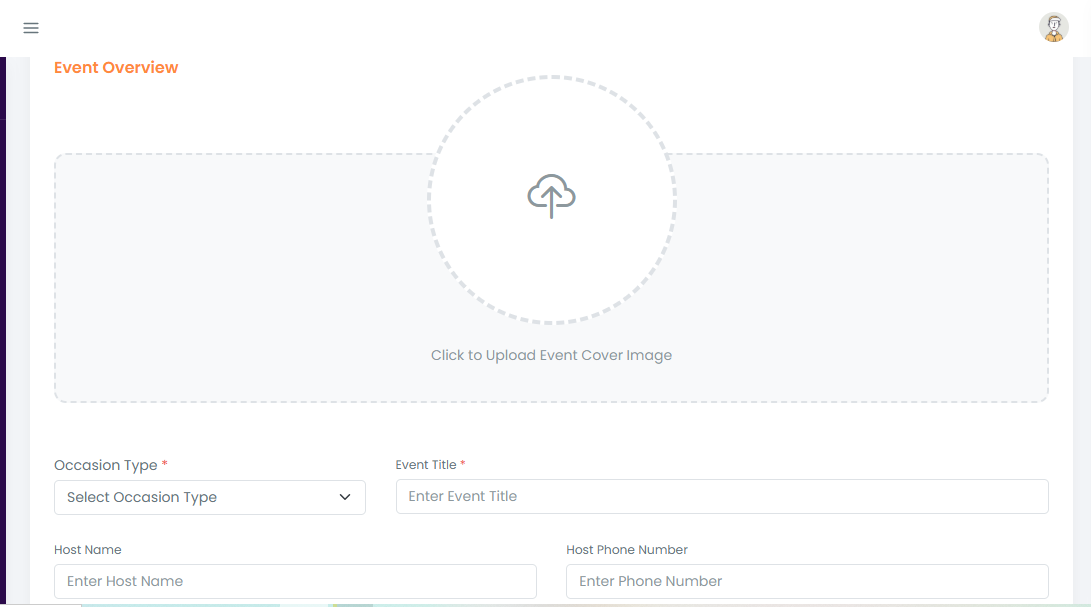
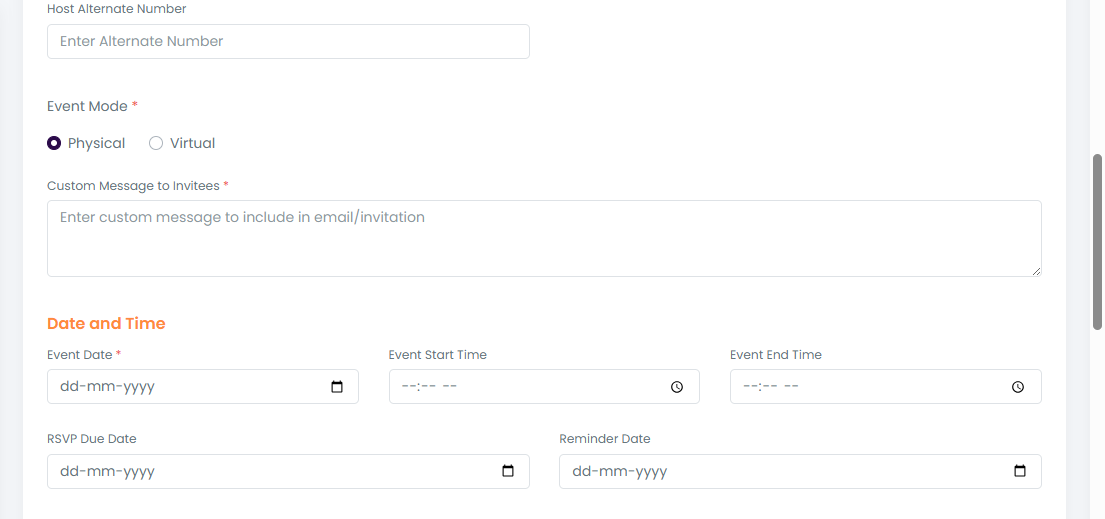
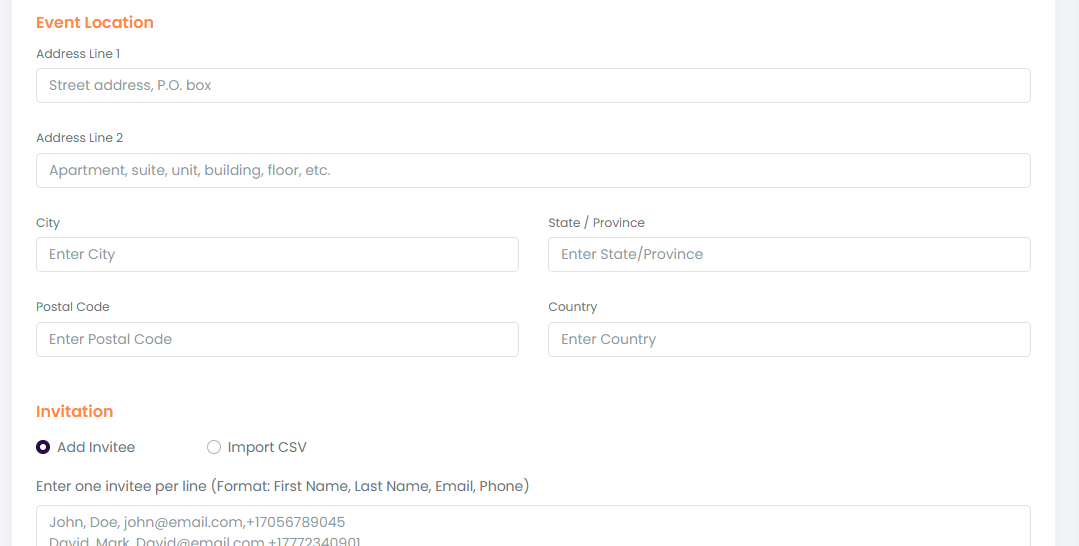
Create a New Event
Click New Event.
Upload an event banner image.
Select occasion type (birthday, farewell, baby shower, etc.) from dropdown.
Enter all event details:
Event name
Date & due date
Description
Reminder settings (if any)
Add Invitees :
Add guests manually (first name, last name, email)
OR
Upload a CSV file with bulk guest details.
Send Invites :
Click Send Invite → system saves event + sends email invites.
Each email contains the invite link for video submission.
-----
Manage Event :
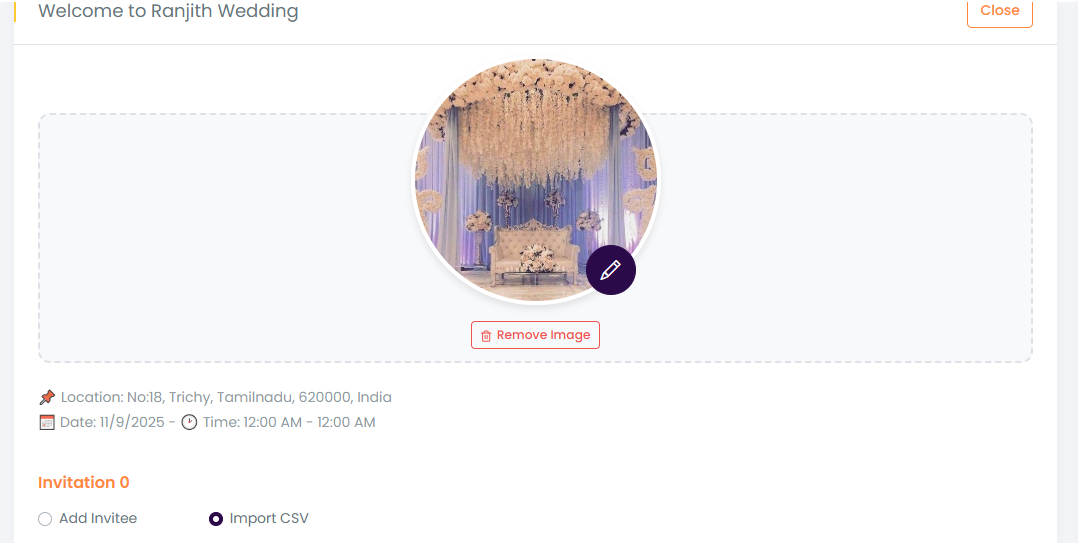
Now in your event page ,select the created event ,here you can view your full guest list, track RSVP responses, and check who’s uploaded their videos.
You can even resend invites or share your event link on mail , WhatsApp,
As videos start rolling in, you can preview every submission right from your event page.
Video Compilation :
Guests upload videos.
All submissions are visible under the event.
Click Compile → all videos get stitched into one full video collage.
Share Link:
On click share option asked them to share in whatsapp , mail
Need to show the predefine value to share in the content with the invitee link
Share Message:
Hi [First Name],
You've been invited to contribute a video message for [Recipient Name]'s [Occasion Type]!
📅 Event Date: [Event Date]
🎥 Submit your video before: [Due Date]
🔗 Your Invite Link: [Unique Link]
Just click the link, RSVP, and upload your message. It's quick and easy!
Thanks for being part of this surprise!